










18+

SkinsMonkey promo code

Verified How we check Affiliate disclosure

  1. SkinsMonkey

    Verified

    No sign-up bonus

    Full terms
    Fees
    Bot items: 10% commission plus a 0–3% markup on popular items, included in the price (help centre); the terms say all fees are built into the quoted item values. Top-ups: no SkinsMonkey commission, but payment providers may charge (our $20 card payment showed a $0.50 Credit Cards Fee). Refunds go back to the payment method minus the processor’s fee.
    Sellers get paid
    No cash payouts: skins sold to the bots become SkinsMonkey balance, which the help centre says can’t be withdrawn and can only be used on the site (the terms leave any buy-back to SkinsMonkey’s sole discretion and rate; balance capped at $15,000). Skins you get are sent to your Steam inventory by trade offer; trade-locked ones wait in the Backpack until the lock ends (up to 8 days) and must be withdrawn within 45 days. For cash, the home page links to SkinCashier, a separate site run by a Polish company.
    Top-up methods
    Bitcoin (BTC), Ethereum (ETH), Tether (USDT), USD Coin (USDC), Litecoin (LTC), Dogecoin (DOGE), BNB, Visa, Mastercard, Apple Pay, Google Pay, CS2 skins (Steam)
    Not available in
    CU, CY, IR, KP, RU, SY, VE, VG
    Key terms
    We have no SkinsMonkey code of our own. The site’s own offers: top-ups get +30% extra balance, and a promo code from SkinsMonkey’s social media or partner creators adds 5% more (35% in all), entered in the deposit window’s “Add 5% deposit bonus with promo code” box before paying. Separately, a one-time code entered under “Free $5” before a trade returns 5% of the trade’s value, at most $5; the help centre names MONKEY. All bonus money is site balance that can’t be withdrawn.

    No code needed — the link applies the offer

    +6 moreBNB, Visa, Mastercard, Apple Pay, Google Pay, CS2 skins (Steam)

At a glance

Code bonus
No bonus for the code
Promo code
No code needed
Fees
Bot items: 10% commission plus a 0–3% markup on popular items, included in the price (help centre); the terms say all fees are built into the quoted item values. Top-ups: no SkinsMonkey commission, but payment providers may charge (our $20 card payment showed a $0.50 Credit Cards Fee). Refunds go back to the payment method minus the processor’s fee.
Sellers get paid
No cash payouts: skins sold to the bots become SkinsMonkey balance, which the help centre says can’t be withdrawn and can only be used on the site (the terms leave any buy-back to SkinsMonkey’s sole discretion and rate; balance capped at $15,000). Skins you get are sent to your Steam inventory by trade offer; trade-locked ones wait in the Backpack until the lock ends (up to 8 days) and must be withdrawn within 45 days. For cash, the home page links to SkinCashier, a separate site run by a Polish company.
Top-up methods
+6 moreBNB, Visa, Mastercard, Apple Pay, Google Pay, CS2 skins (Steam)
Identity checks
Steam login; SumSub check (ID photo + face scan) can be asked at any time and applies to payments over $1,000 within a short period; source of wealth and origin of items may be asked; without KYC you can’t deposit

We don’t have our own SkinsMonkey code yet. When we get one, it appears here with its terms and the date we checked it.

We don’t have our own SkinsMonkey code, so there is no DAKEbits promo code here; the button simply opens SkinsMonkey. It is a CS2 skin trading site: you swap skins with its trade bots, sell them for site balance or buy skins with balance you top up.

What SkinsMonkey gives without a code

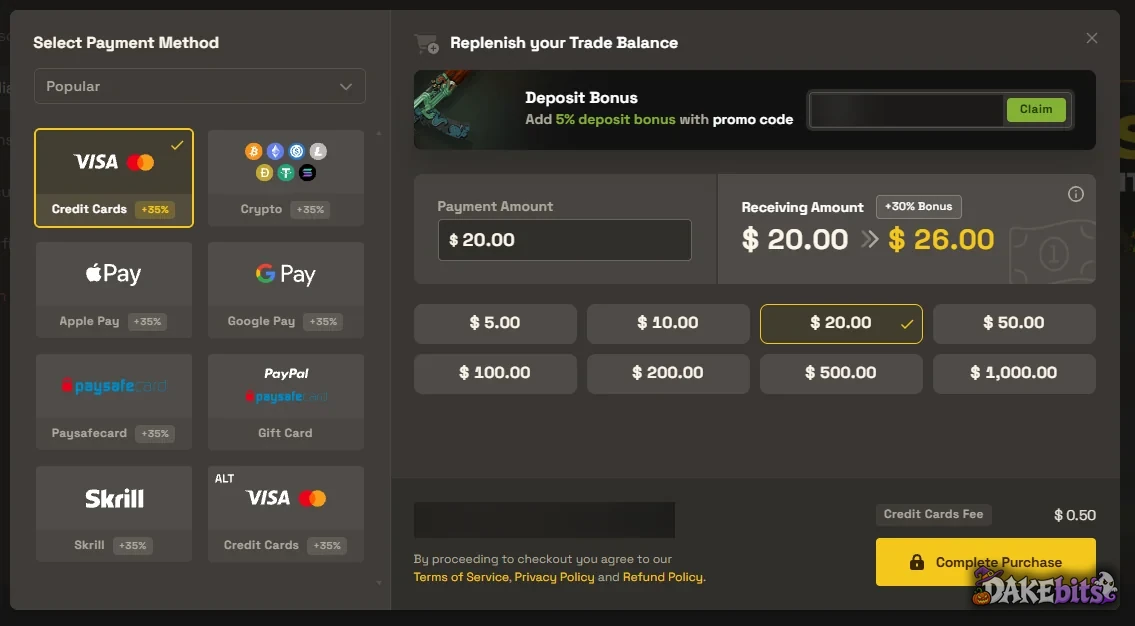
Top-ups get extra balance: on our account a $20 card payment showed “Receiving Amount $26.00”, +30%. The payment methods carry +35% labels: the site’s own settings list a 30% base bonus plus 5% for a promo code. There is also a one-time “Free $5” trade bonus and free giveaways. All of it is balance you can only spend on SkinsMonkey.

How promo codes work at SkinsMonkey

  • Deposit code. The deposit window has a box “Add 5% deposit bonus with promo code”. Type a code, press Claim before you pay and check the “Receiving Amount”. Codes come from SkinsMonkey’s social media and partner creators.
  • First-trade code. Click “Free $5” and enter a code before a trade: you get 5% of the trade’s value back, at most $5, once. The help centre says to use MONKEY if you have no other code.

What we saw on the site

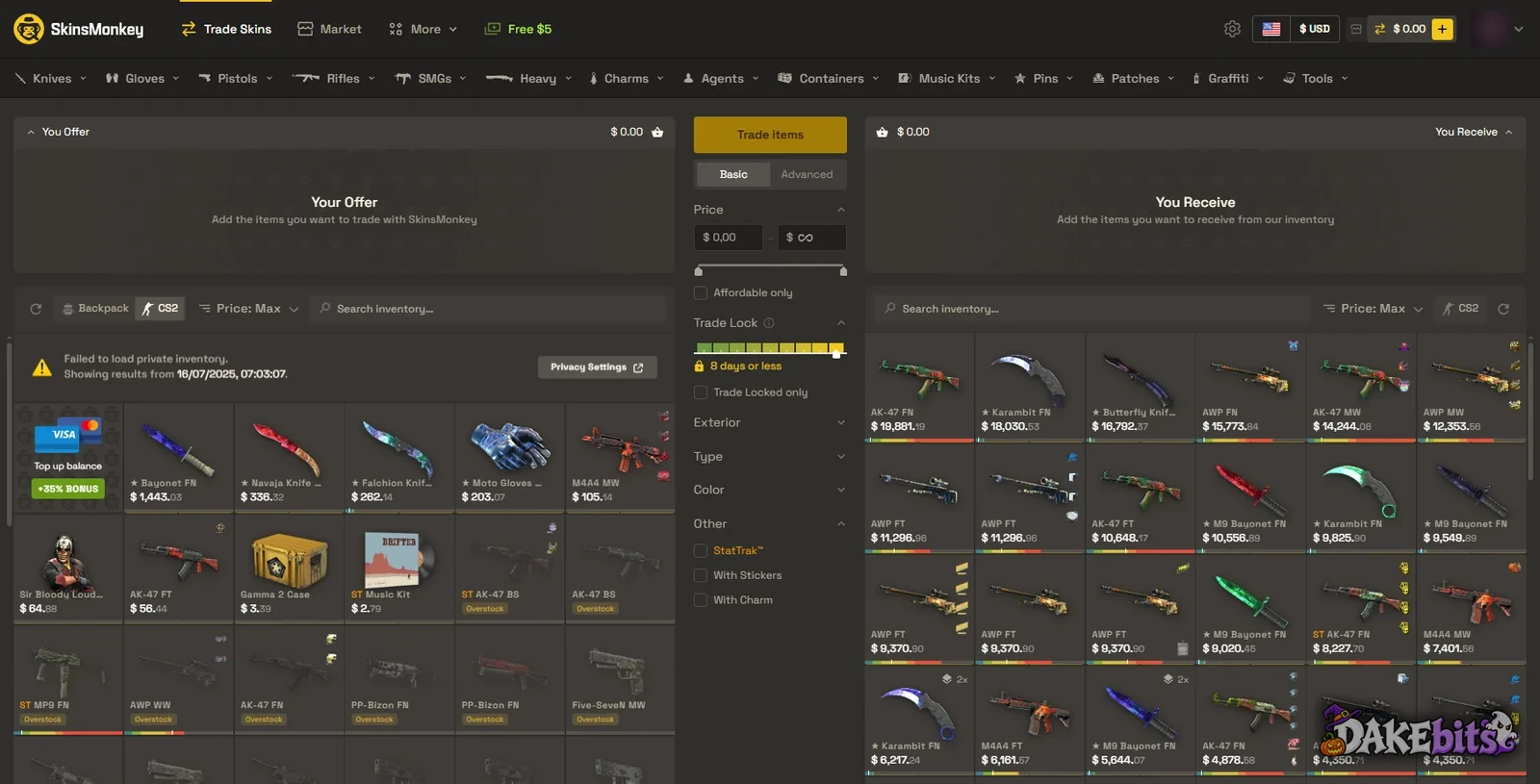
  • Trade Skins: your Steam items on one side, the bots’ stock on the other; the difference goes to or comes from your balance.
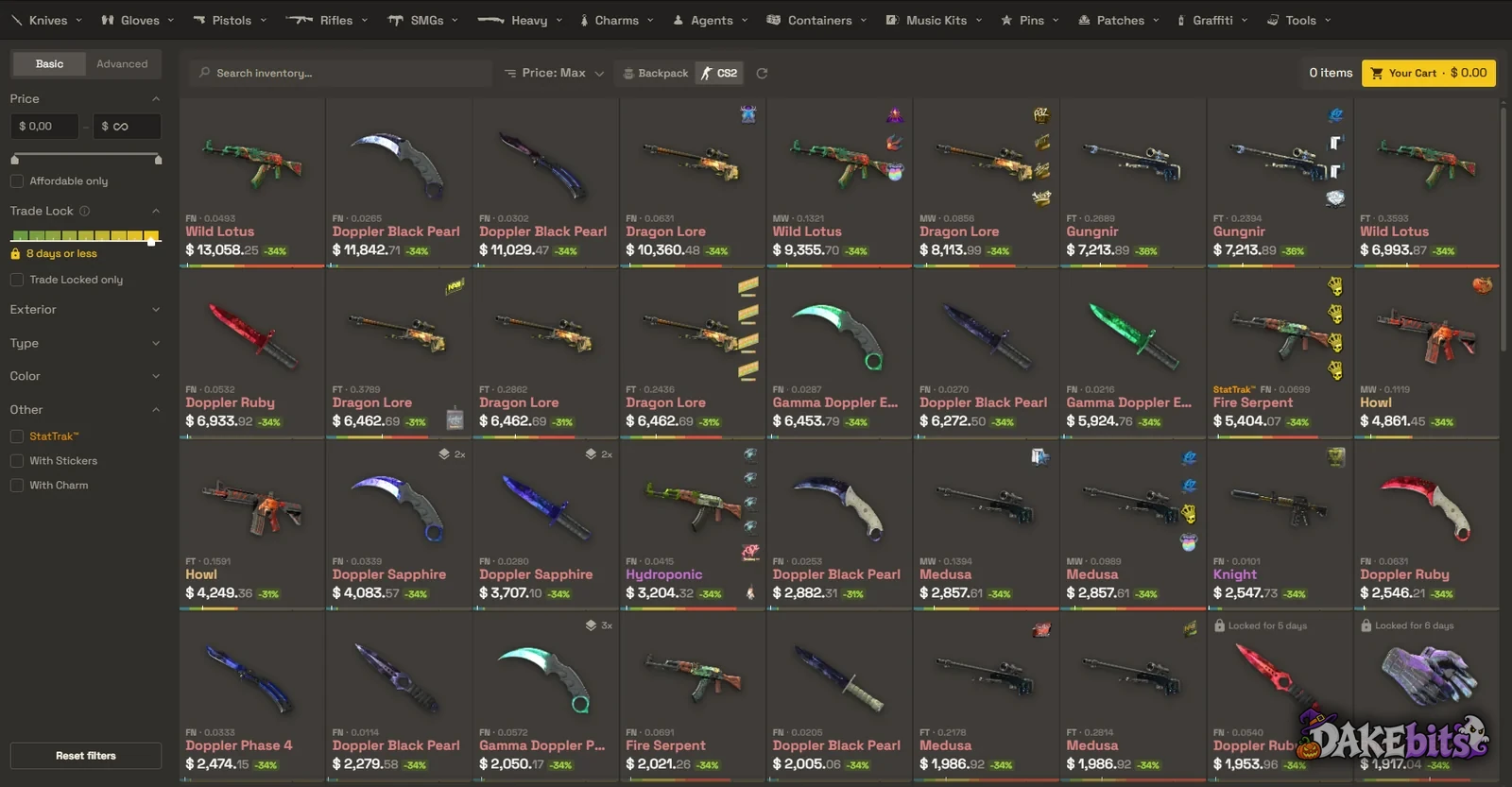
  • Market: skins to buy, each with a discount label, from −31% to −36% on our screen.
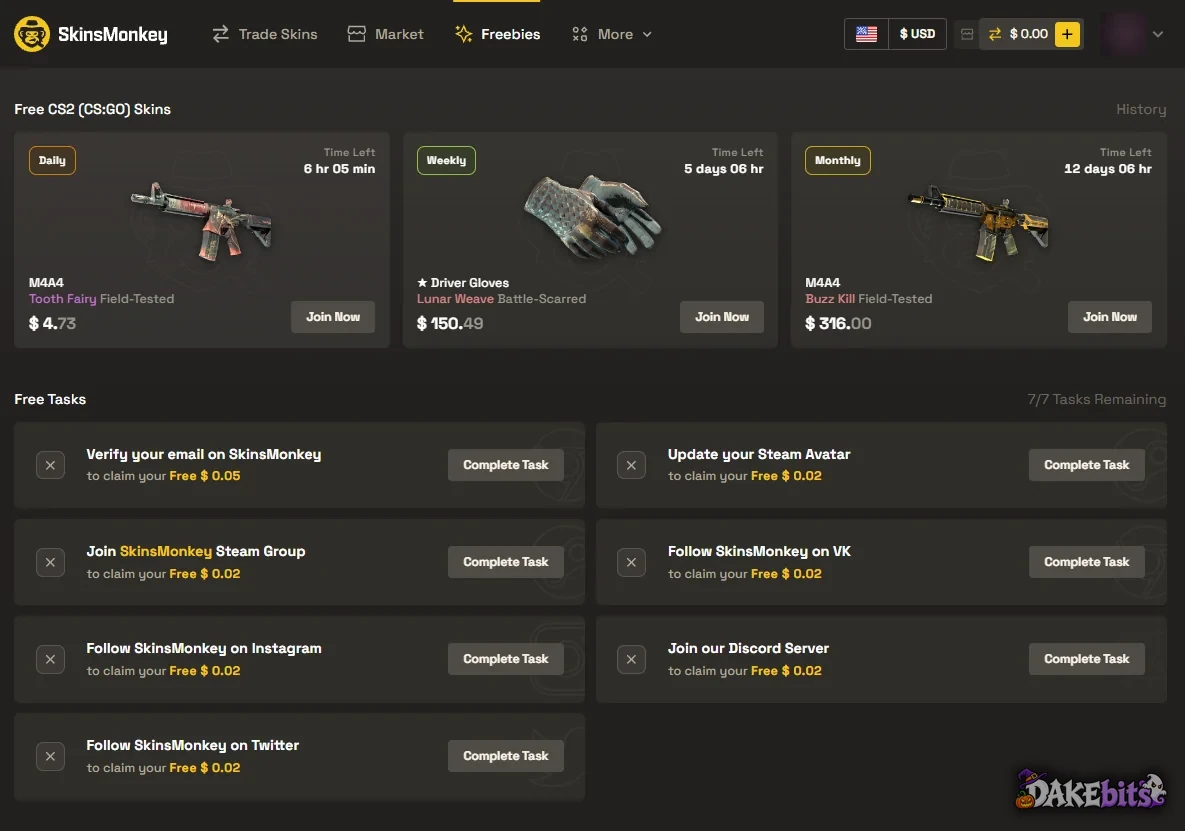
  • Freebies: daily, weekly and monthly giveaways; the prizes on our account were worth $4.73, $150.49 and $316.00. Seven tasks, such as verifying your email, pay $0.02 to $0.05 each once you have traded $3 of your items.

Fees

The help centre says the bots’ items carry a 10% commission plus a 0–3% markup on popular items, already in the price. SkinsMonkey takes no commission on top-ups, though payment providers may: our $20 card payment showed a $0.50 “Credit Cards Fee”.

Selling skins

Selling means trading your skins to the bots for balance. The help centre is plain: “you can not withdraw balance from your account. You can only use it on SkinsMonkey.” The terms leave any buy-back of balance to SkinsMonkey alone. For cash, its home page links to SkinCashier, a separate site run by a Polish company.

Rules worth knowing

  • Not available in Venezuela, the British Virgin Islands, North Korea, Iran, Cuba, Cyprus, Russia, Syria or the occupied territories of Ukraine, or to people on sanctions lists. No VPNs.
  • 16 or older; under-18s need a parent or guardian to accept the terms.
  • Trades are final.
  • Backpack deadline. Trade-locked skins you buy wait in your Backpack until Steam’s lock ends (up to 8 days), then you have 45 days to withdraw them. After that SkinsMonkey may remove them and credit balance instead.

SkinsMonkey deposits and withdrawals

Our deposit window offered Visa and Mastercard, Apple Pay, Google Pay, crypto, Paysafecard, Skrill and gift cards, with presets from $5 to $1,000. The help centre lists Bitcoin, Litecoin, Ether, Tether, USD Coin, Dogecoin and BNB. You can also add balance by trading in CS2 skins. Withdrawals are skins only, sent to your Steam inventory by trade offer.

SkinsMonkey KYC: when it asks for ID

You sign in with Steam. The terms allow a KYC check at any time, and payments over $1,000 within a short period are subject to one. The check runs through SumSub: an ID photo and a short face scan. If you decline, you can’t deposit.

Is SkinsMonkey legit?

SkinsMonkey is a skin trading site with no cases or bets. We went through it on our own account on 19 October 2026.

  • Licence. None stated. The operator is Virtual Asset Empire Ltd (Cyprus, reg. HE 412509).
  • Fairness. Prices are set automatically from availability and demand and include the commission. You see both sides of a trade before you accept the Steam offer.
  • Where it’s blocked. The terms exclude eight countries and the occupied territories of Ukraine. It isn’t on the regulator blocklists we checked.
  • Your balance. It is capped at $15,000, has no value outside the site and can’t be withdrawn as cash.
  • Reviews. On Trustpilot, SkinsMonkey has 2,487 reviews, and 6% of them give one star (checked 19 October 2026). Trustpilot hides its TrustScore: it says the rating is unavailable due to a breach of its guidelines. Trustpilot also says the company displayed Trustpilot content in a misleading way.

Sources: our own SkinsMonkey account (19 October 2026); SkinsMonkey terms of service (8 June 2023), privacy and refund policies, help centre, home page, Free CS2 Skins page and public settings file; SkinCashier’s terms; checked on 19 October 2026. Regulators: SkinsMonkey is on none of the Norwegian, Czech, Danish, Polish, Swiss, Italian and Belgian blocklists we hold, read on 19 October 2026.
SkinsMonkey FAQ: withdrawals, countries and freebies

How can you withdraw from SkinsMonkey?

Skins only, sent to your Steam inventory by trade offer; site balance can’t be withdrawn as cash.

Why is my SkinsMonkey withdrawal not working?

The usual reasons, from the site’s own rules:

  • Balance from selling to the bots stays on SkinsMonkey: its help centre says it can’t be withdrawn.
  • Trade-locked skins wait in your Backpack until Steam’s lock ends (up to 8 days); then you have 45 days to withdraw them.
  • Your Steam trade link. Skins leave by Steam trade offer. If you made a new trade URL in Steam, the old one stops working, so update it on SkinsMonkey.
  • Your country. SkinsMonkey isn’t available everywhere: see where it isn’t.

If none of these fits, contact SkinsMonkey support. More on ID checks: when SkinsMonkey asks for ID.

Is SkinsMonkey available in my country?

SkinsMonkey isn’t available in 8 countries. The full list is under SkinsMonkey restricted countries. Getting around this with a VPN breaks most sites’ terms.

Does SkinsMonkey give anything for free?

Free daily, weekly and monthly skin giveaways (on our account the prizes were worth $4.73, $150.49 and $316.00), plus seven one-off tasks such as verifying your email that pay $0.02–$0.05 in site balance each, which the help centre says open after you have traded $3 of your items.

How it looks at SkinsMonkey

SkinsMonkey deposit window on our account: +35% labels on the payment methods, a promo-code field for an extra 5%, and a $20 card payment that becomes $26.00 (+30%) with a $0.50 card fee.
SkinsMonkey Freebies: free daily, weekly and monthly skin giveaways, and seven one-off tasks worth $0.02 to $0.05 each.
The Trade Skins page on our account: your Steam items on the left, SkinsMonkey’s bot stock on the right, a “Top up balance +35% bonus” tile and a Free $5 tab in the menu.
SkinsMonkey Market: CS2 skins with a discount label on each (−31% to −36% here) and a trade-lock filter of 8 days or less.
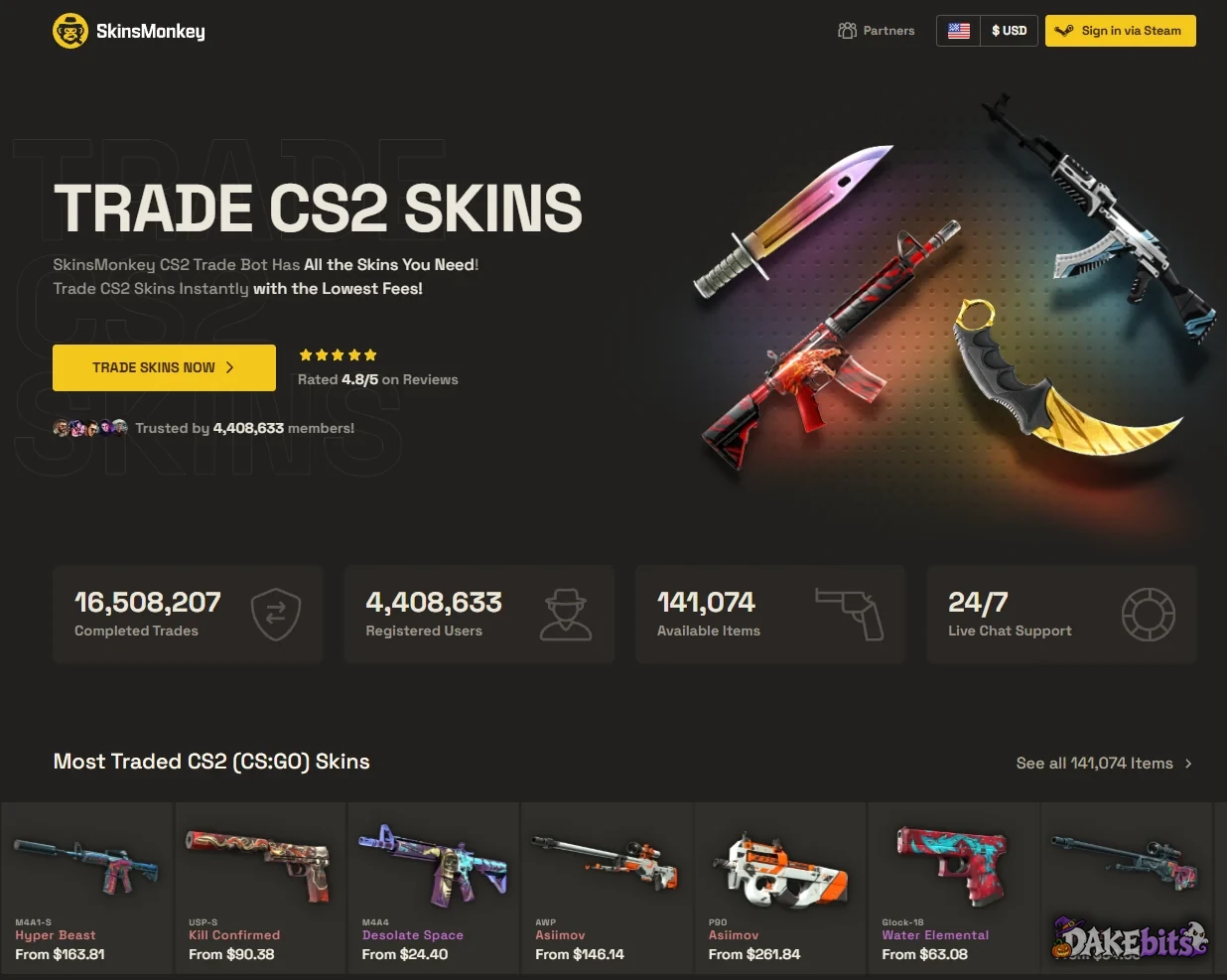
SkinsMonkey home page before signing in: you log in through Steam only; the counters are the site’s own figures.
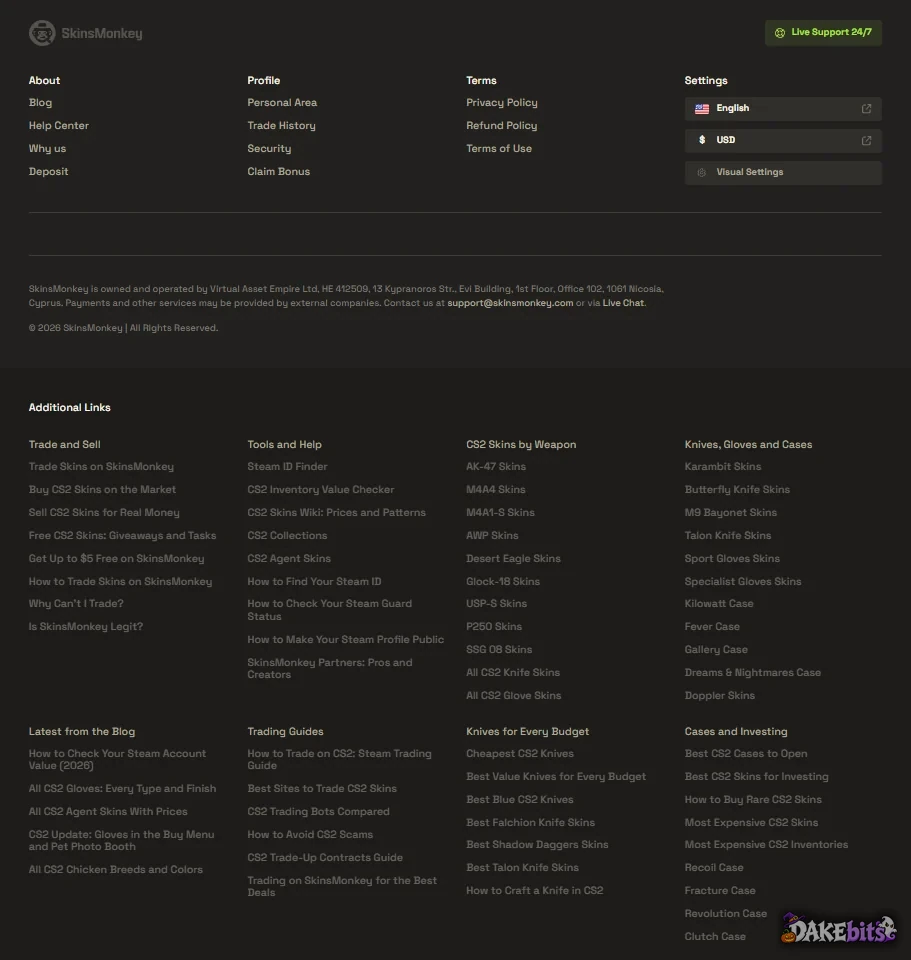
SkinsMonkey footer: the site is run by Virtual Asset Empire Ltd (Cyprus, HE 412509) and links to its terms, privacy and refund policies.

Screenshots taken by us on 19 Oct 2026. The casino’s pages may look different in your country.

Screenshot

SkinsMonkey restricted countries

We don’t show SkinsMonkey’s offer to users from Cuba, Cyprus, Iran, North Korea, Russia, Syria, Venezuela and VG. These are countries that its own terms exclude, that its licence doesn’t cover, or where a regulator blocks it. Getting around this with a VPN breaks most sites’ terms.

SkinsMonkey: key facts

Code bonusNo bonus for the code
Promo codeNo code needed
FeesBot items: 10% commission plus a 0–3% markup on popular items, included in the price (help centre); the terms say all fees are built into the quoted item values. Top-ups: no SkinsMonkey commission, but payment providers may charge (our $20 card payment showed a $0.50 Credit Cards Fee). Refunds go back to the payment method minus the processor’s fee.
Sellers get paidNo cash payouts: skins sold to the bots become SkinsMonkey balance, which the help centre says can’t be withdrawn and can only be used on the site (the terms leave any buy-back to SkinsMonkey’s sole discretion and rate; balance capped at $15,000). Skins you get are sent to your Steam inventory by trade offer; trade-locked ones wait in the Backpack until the lock ends (up to 8 days) and must be withdrawn within 45 days. For cash, the home page links to SkinCashier, a separate site run by a Polish company.
Top-up methods
+6 moreBNB, Visa, Mastercard, Apple Pay, Google Pay, CS2 skins (Steam)
Identity checksSteam login; SumSub check (ID photo + face scan) can be asked at any time and applies to payments over $1,000 within a short period; source of wealth and origin of items may be asked; without KYC you can’t deposit
LaunchedNot verified yet
Not available inCuba, Cyprus, Iran, North Korea, Russia, Syria, Venezuela and VG
Last checked by us
On TrustpilotNo TrustScore shown, 2,487 reviews, 6% one-star (19 Oct 2026)

Unverified facts come from the site’s own pages and public sources and still need our hands-on check. Read the site’s terms before you trade.

Sites like SkinsMonkey

  1. Tradeit.gg

    Verified

    $5 bonus on your first trade

    See full terms below

    Code DAKE
  2. Lis-Skins

    Verified

    No sign-up bonus

    Code 136035
    +5 moreXRP, BNB, Bitcoin Cash (BCH), CS2 skins (Steam), Rust skins (Steam)
  3. SkinBaron

    Verified

    No sign-up bonus

    No code needed — the link applies the offer

We may earn a commission when you sign up through links on this page. It costs you nothing and doesn’t change what we write. Skin prices go up and down.